
How Kansas City SMBs Can Use Anthropic's Claude Cowork to Automate Daily Operations
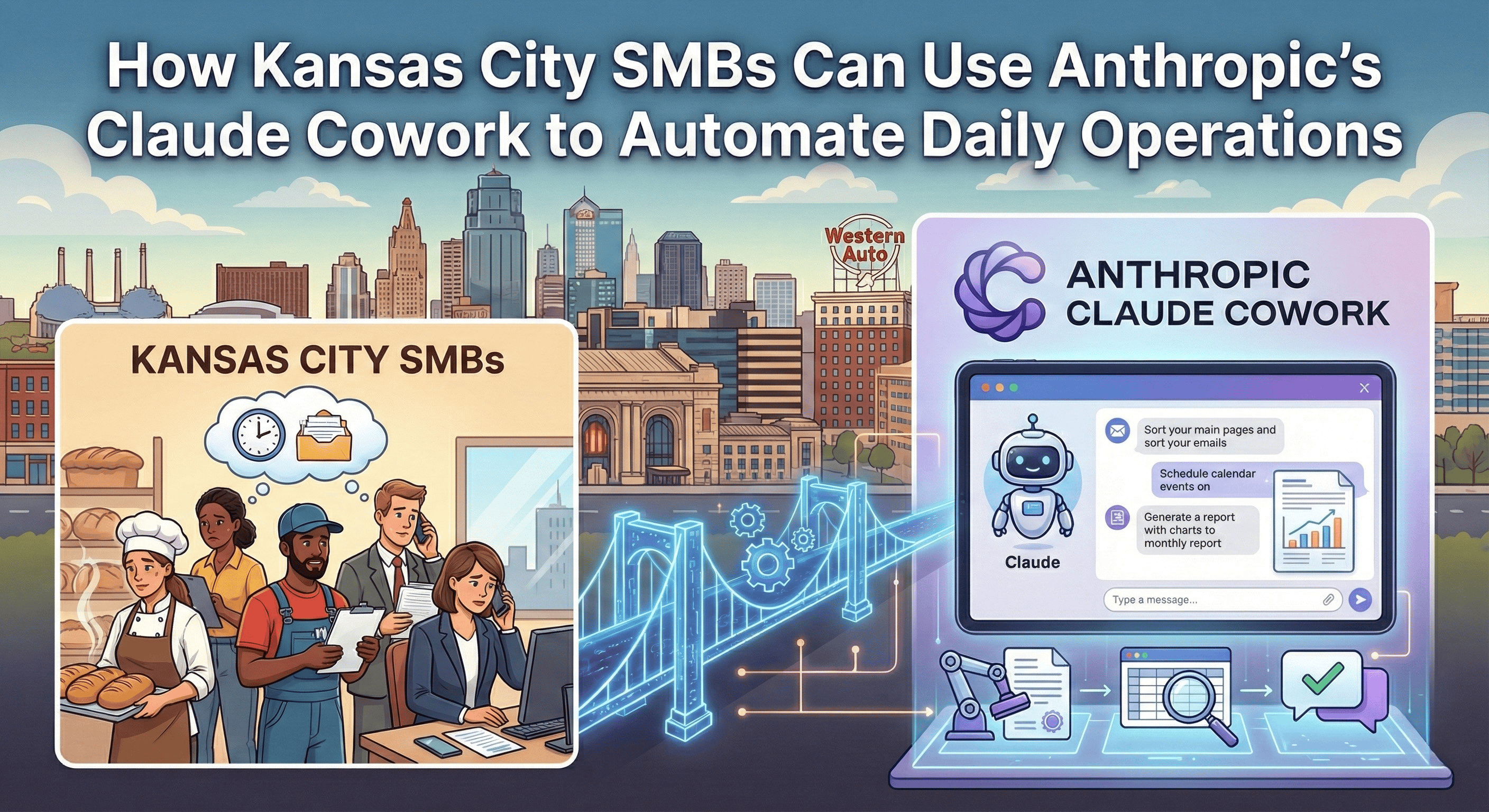
Claude Cowork is an AI-powered desktop assistant from Anthropic that autonomously completes multi-step business tasks like organizing files, generating reports, processing documents, and managing workflows without requiring any coding knowledge. Launched in January 2026, it extends the capabilities of Claude Code (a developer tool) into a user-friendly interface accessible to any knowledge worker. For Kansas City's small and mid-sized businesses, Cowork represents an affordable entry point into agentic AI, the kind of technology that previously required enterprise budgets or dedicated technical staff.

Last Updated: July 22, 2026.
Quick Answer
Claude Cowork helps small businesses by:
- Automating repetitive file work — sorting documents, renaming files, extracting data from receipts and invoices without manual input.
- Generating professional deliverables — creating reports, spreadsheets, and presentations directly from your existing files and notes.
- Connecting to business tools — integrating with Google Drive, Gmail, Google Calendar, DocuSign, WordPress, and other platforms through MCP connectors.
- Working autonomously — planning and executing multi-step tasks while keeping you informed, similar to delegating work to a team member.
- Costing a fraction of hiring — starting at $20/month per user on the Pro plan, compared to thousands in labor costs for equivalent manual work.
With Gartner predicting that 33% of enterprise software will embed agentic AI by 2028, up from less than 1% in 2024, the gap between businesses that adopt these tools and those that don't is widening fast. The question for Kansas City businesses isn't whether AI agents will reshape daily operations, it's how quickly you can put them to work.
What Is Claude Cowork and How Does It Work?
Claude Cowork is a dedicated mode within the Claude Desktop app that gives the AI agent access to a folder on your computer, allowing it to read, edit, create, and organize files autonomously. Unlike a standard chatbot that only responds to questions, Cowork plans tasks, executes them step by step, and loops you in on progress much like delegating work to an employee.
The tool runs inside a sandboxed virtual environment for security, meaning it can only access the specific folders you grant permission to. You describe what you need in plain English, "create a summary spreadsheet from these client invoices" or "organize my Q1 files by project and date" and Cowork handles the rest.
As of February 2026, Cowork is available on both macOS and Windows and supports plugins for industry-specific workflows including finance, HR, legal, operations, and engineering. Anthropic has also shipped connectors for Google Workspace, DocuSign, LegalZoom, WordPress, and several other platforms that SMBs already rely on. Anthropic
Why Should Kansas City SMBs Pay Attention?
The productivity gains from agentic AI tools like Cowork directly address the operational challenges Kansas City SMBs face daily. Manual data processing alone costs U.S. companies an average of $28,500 per employee annually, while 56% of employees experience burnout from repetitive work. 360 Automation AI
Here's where Cowork creates immediate value for local businesses:
Eliminating Administrative Bottlenecks
Kansas City SMBs with small teams often lack dedicated administrative staff. Tasks like organizing vendor contracts, compiling expense reports, or reformatting client data eat into hours that owners and managers should spend on growth. Cowork handles these tasks autonomously for a fraction of the cost.
Reducing Errors in Document Processing
Manual data entry introduces errors that cost the average company 10-15% of annual revenue. For small businesses, that translates to an average of $62,000 annually in financial processing mistakes alone. Cowork processes documents with the consistency of automation while adapting to varied file formats and layouts. 360 Automation AI
Leveling the Playing Field
Large competitors have always had the advantage of dedicated analysts, operations teams, and IT staff. Cowork gives a five-person accounting firm in Overland Park or a property management company in the Crossroads District access to the same kind of agentic capability at $20-$200 per month instead of another salary.
What Can Claude Cowork Actually Do for a SMB?
Cowork excels at multi-step tasks that involve reading, processing, and producing files, the kind of work that consumes hours of a knowledge worker's week.
Here are practical use cases relevant to Kansas City SMBs:
Financial and Administrative Tasks
- Extracting data from a folder of receipts or invoices and compiling it into a categorized spreadsheet.
- Generating monthly financial summaries from scattered documents.
- Organizing and renaming tax preparation files by client and category.
Client and Project Management
- Creating status reports from project notes and email threads.
- Drafting client proposals based on templates and past deliverables.
- Compiling research briefs from multiple source documents.
Content and Marketing Operations
- Drafting blog posts or social media content from existing notes.
- Organizing marketing assets by campaign and date.
- Creating presentation decks from raw data and meeting notes.
Operations and HR
- Generating job descriptions and onboarding documents using the new HR plugin.
- Processing vendor contracts and summarizing key terms.
- Organizing compliance documentation by category.
What Changed with the February 2026 Enterprise Update?
On February 24, 2026, Anthropic announced its most significant Cowork expansion yet: introducing private plugin marketplaces, new department-specific plugins, expanded connectors, and cross-application workflows. This update shifts Cowork from a personal productivity tool into an enterprise-grade platform that organizations can customize for their specific operations. Anthropic
Here's what matters most for businesses:
Private Plugin Marketplaces
Admins can now build and distribute custom plugins across their organization. This means a Kansas City accounting firm, for example, could create specialized plugins encoding their specific workflows and client processes, then deploy them to every team member. Plugins are file-based and portable, making them easy to share and customize.
10 New Pre-Built Plugin Templates
Anthropic expanded its plugin library with templates designed by practitioners in each field. New plugins span HR (offer letters, onboarding plans, performance reviews), design (UX copy, accessibility audits), engineering (standup summaries, incident response), operations (process documentation, vendor evaluations), financial analysis, investment banking, equity research, private equity, and wealth management.
Expanded Connectors
New integrations now include Google Workspace (Calendar, Drive, Gmail), DocuSign, Apollo, Clay, Outreach, SimilarWeb, MSCI, LegalZoom, FactSet, WordPress, and Harvey. For SMBs, the Google Workspace and WordPress connectors are particularly valuable, they allow Claude to pull context directly from the tools most businesses already use daily.
Cross-Application Workflows (Excel + PowerPoint)
Claude can now work across Excel and PowerPoint simultaneously, passing context between apps. This means you can assign Claude a project like "analyze this sales data in Excel and turn it into a client presentation in PowerPoint" and it handles the entire workflow end to end. This feature is available as a research preview on all paid plans for both Mac and Windows.
Unified Admin Controls
A new "Customize" menu consolidates plugins, skills, and connectors into one management view. Admins control which plugins their teams can access, including per-user provisioning and auto-install capabilities. OpenTelemetry support lets admins track usage, costs, and tool activity across teams.
For Kansas City SMBs, this update is significant because it transforms Cowork from a tool individual employees use into something an entire organization can standardize around, with workflows tailored to how your specific business operates.
How Much Does Claude Cowork Cost?
Claude Cowork starts at $20/month on the Pro plan, with higher usage tiers available at $100/month (Max 5x) and $200/month (Max 20x). All tiers include the same features, the price difference relates entirely to usage limits.
Pro: $20/month. Best for light to moderate use and occasional task delegation. Standard usage limits, which can be hit faster on complex multi-step tasks.
Max 5x: $100/month. Best for regular daily use with moderate task complexity. Provides 5x the usage capacity of Pro.
Max 20x: $200/month. Best for heavy daily use and complex multi-step workflows. Provides 20x the usage capacity of Pro with maximum priority.
Team: $30/user/month (standard seat). Best for multi-employee teams. Premium seats with Cowork access are available at higher tiers. Minimum 5 users.
Enterprise: Custom pricing. Best for organization-wide deployment. Includes custom usage limits, admin controls, and private plugin marketplace.
For context, a full-time administrative assistant in the Kansas City metro area costs $30,000-$45,000 annually. Even the Max 20x plan at $2,400/year represents a fraction of that investment for tasks Cowork can handle autonomously. The ROI math is especially compelling for businesses already spending 15-20 hours per week on manual document processing and administrative workflows.
How Does Claude Cowork Compare to Hiring or Traditional Automation?
Key differences between Claude Cowork, hiring staff, and traditional software automation:
Setup time. Cowork takes minutes, install the app and grant folder access. Hiring takes weeks to months for recruiting and onboarding. Traditional automation platforms require weeks to months of configuration and integration.
Monthly cost. Cowork runs $20-$200/month. A new hire costs $2,500-$3,750+ monthly in salary alone. Traditional automation platforms typically cost $500-$3,500+ in recurring fees.
Flexibility. Cowork handles varied, unstructured tasks via natural language prompts. Hired staff are highly flexible but limited by hours and capacity. Traditional automation is rigid and requires predefined workflows.
Technical knowledge required. Cowork requires none, you describe tasks in plain English. Traditional automation often requires technical setup or developer support.
Scalability. Cowork scales instantly by upgrading your plan. Hiring scales slowly through additional recruits. Traditional automation scales moderately depending on the platform.
The key distinction is that Cowork handles unstructured work, the kind that doesn't fit neatly into a software workflow but still consumes significant time. It's not a replacement for comprehensive business process automation, but it fills the gap between "too small to automate" and "too repetitive to keep doing manually."
What Are the Current Limitations?
Cowork is still labeled a "research preview" by Anthropic, which means there are known limitations SMBs should consider.
- Usage limits are real. Complex multi-step tasks consume significantly more quota than standard chat. Pro users may hit limits during extended sessions.
- No mobile or web access. Cowork sessions only run in the desktop app and don't sync to Claude's web or mobile interfaces.
- File-based workflow. Cowork works with local files. Cloud-based workflows require syncing (e.g., Google Drive for Desktop) or using MCP connectors.
- Accuracy is not guaranteed. Like all AI, Cowork can make mistakes. Anthropic recommends reviewing outputs for critical tasks and keeping backups.
These limitations matter, but they're typical of early-stage tools that improve rapidly. Anthropic has already shipped Windows support, plugin infrastructure, and enterprise admin controls within weeks of the initial launch.
Frequently Asked Questions
Is Claude Cowork available for free?
No. Claude Cowork requires a paid subscription. The most affordable option is the Pro plan at $20/month, which includes full Cowork functionality with standard usage limits. There is no free trial specifically for Cowork, though Anthropic occasionally adjusts access policies as the product evolves.
Can Claude Cowork replace my accounting or bookkeeping software?
Cowork is not a replacement for dedicated accounting platforms like QuickBooks or Xero. It excels at surrounding tasks like organizing receipts, compiling expense data into spreadsheets, drafting financial summaries from existing documents, and preparing files for your accountant. Think of it as automating the prep work, not the core financial processing.
Is my business data safe with Claude Cowork?
Cowork runs inside a sandboxed virtual machine and can only access folders you explicitly grant permission to. It cannot access your broader file system, other applications, or network resources without authorization. For enterprise deployments, Anthropic offers additional admin controls and private plugin marketplaces. However, as with any AI tool, avoid processing highly sensitive information like Social Security numbers or financial account credentials through the system.
How does Claude Cowork differ from ChatGPT or other AI chatbots?
Standard AI chatbots respond to questions within a conversation. Cowork goes further: it plans multi-step tasks, reads and writes files on your computer, connects to external tools through plugins and connectors, and works autonomously while keeping you updated. It's the difference between asking a question and delegating a task.
Do I need technical skills to use Claude Cowork?
No. Cowork is designed for non-technical users. You describe tasks in plain English, and Cowork plans and executes them. The interface is a simple chat-like window within the Claude Desktop app. Pre-built plugins for common business functions (HR, finance, operations) further reduce the learning curve.
How to Get Started with Claude Cowork
For Kansas City SMBs looking to explore Cowork, here's a practical starting path:
- Start with the Pro plan ($20/month) to test Cowork on low-risk tasks like file organization and document summarization.
- Pick one repetitive workflow: monthly report compilation, invoice processing, or file organization, and delegate it to Cowork as a pilot.
- Measure the time saved over 30 days against the subscription cost to calculate your initial ROI.
- Explore plugins relevant to your industry as they become available.
- Scale up to Max or Team plans once you've validated the value for your specific workflows.
If you need help identifying which workflows would benefit most from AI automation or if you want a structured approach to implementing AI across your operations, 360 Automation AI provides strategic AI consultation. Our ADAPT methodology helps you analyze your operations, design the right solutions, and ensure your team can sustain the results independently.
Ready to explore how AI agents can transform your daily operations? Schedule a complimentary 30-minute consultation to discuss your specific automation opportunities.
Last Updated: July 22, 2026.