
From Chatbot to Teammate: How Kansas City SMBs Can Deploy AI Agents in 2026
AI agents are autonomous systems that don't just answer questions, they execute multi-step tasks, make decisions within defined boundaries, and work alongside your team like a digital employee. Unlike traditional chatbots that wait for prompts and handle one request at a time, AI agents proactively manage workflows, verify their own work, and escalate only when human judgment is truly needed.

Quick Answer
AI agents deliver these advantages over manual workflows:
- Autonomous task execution: Agents complete multi-step workflows without constant human check-ins.
- 95%+ fewer errors compared to manual processes, with agents verifying their own work.
- $15,000-$40,000+ annual savings per agent deployed, with ROI typically achieved in 5-6 months.
- 15-20 hours per week freed for your team to focus on strategic work that actually requires human judgment.
What's the Difference Between a Chatbot and an AI Agent?
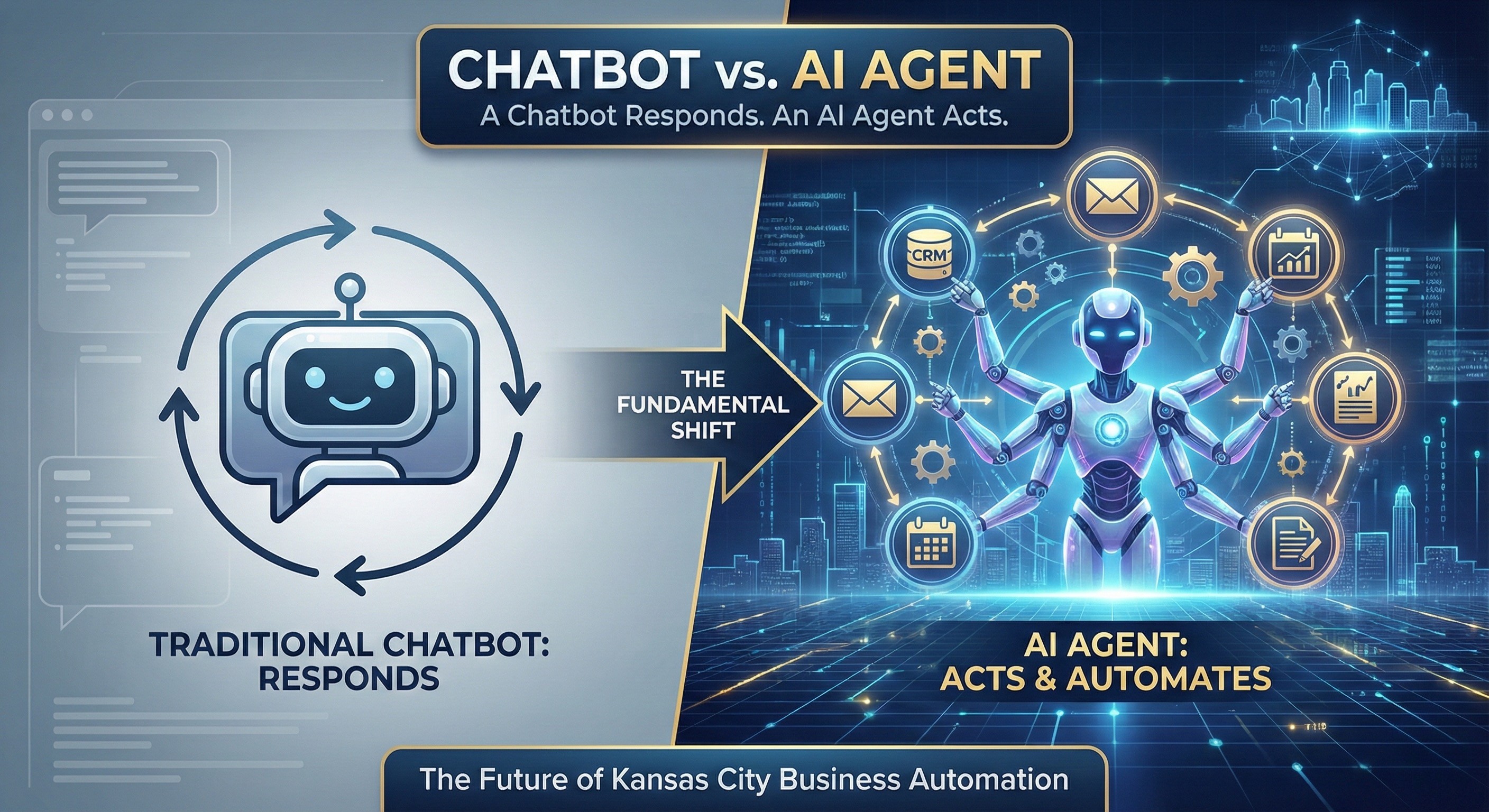
A chatbot responds. An AI agent acts. This fundamental shift changes how Kansas City businesses can leverage automation.
Traditional chatbots operate in a simple loop: user asks question, bot searches knowledge base, bot returns answer. They're reactive, single-task tools that require human initiation for every interaction. Useful, but limited.
AI agents operate differently:
- They break down complex requests: Give an agent "prepare the quarterly sales report," and it will gather data from multiple sources, format the analysis, identify anomalies, and deliver a draft for review.
- They verify their own work: Modern agents loop back to check outputs before considering a task complete, catching errors humans would miss.
- They work across systems: Agents connect your CRM, email, calendar, and databases to execute end-to-end workflows, not just answer questions about them.
- They operate proactively: Instead of waiting for prompts, agents can monitor for conditions and take action, flagging at-risk accounts, routing leads, initiating follow-ups.
At OpenAI, their internal coding agent Codex lives in Slack and functions as a team member. Engineers assign it tasks. It delivers. The team that built the Sora Android app completed it in 28 days with AI as a core contributor. This isn't hypothetical, it's how leading organizations already work.
Why Are Kansas City Businesses Still Stuck in "Chatbot Mode"?
Most businesses use AI for surface-level tasks because they've never seen what system-level AI looks like. The gap between AI superusers and everyone else is widening fast.
The numbers tell the story. According to McKinsey's 2025 State of AI, 88% of organizations now use AI in at least one business function but only 6% qualify as "high performers" actually capturing significant value. High performers are more than three times as likely to pursue transformative AI use cases instead of incremental ones.
Surface-level AI use looks like:
- Asking ChatGPT to rewrite an email.
- Using a chatbot to answer basic customer FAQs.
- Generating social media post ideas one at a time.
System-level AI use looks like:
- AI agents automatically processing incoming leads, scoring them, and routing to the right salesperson with context.
- Agents monitoring all customer support tickets, categorizing issues, drafting responses, and escalating only edge cases.
- Automated reporting that pulls from five data sources, identifies trends, and delivers insights every Monday at 7 AM.
This shift Allie K. Miller describes: from "I use AI for my work" to "AI is part of how our organization works."
Kansas City SMBs competing against larger corporations need this system-level thinking to level the playing field.
What Can an AI Agent Actually Do for Your Kansas City Business?
AI agents handle the repetitive, rule-based work that currently consumes your team's most productive hours. Here's what that looks like in practice across common business functions.
Administrative and data entry: Manual data entry costs U.S. companies an average of $28,500 per employee annually and 56% of employees experience burnout from repetitive tasks. AI agents eliminate this burden by automatically extracting information from emails, forms, and documents.
Lead qualification and routing: Instead of salespeople manually reviewing every inbound lead, agents score prospects based on your criteria, enrich contact records with publicly available data, and route qualified opportunities to the right team member with full context.
Customer service triage: Agents categorize incoming support requests, draft initial responses for review, and resolve straightforward issues autonomously. Your team handles only the complex cases that genuinely need human judgment.
Reporting and analysis: Rather than staff spending hours compiling weekly reports, agents pull data from multiple sources, identify anomalies worth attention, and deliver formatted insights on schedule.
The human impact matters too. 50% of employees at an Overland Park based retail store experienced burnout from repetitive work, while 90% reported higher job satisfaction after we implemented AI agents to handle the routine tasks. AI agents don't just save money, they let your team do work that actually engages them.
How Do You Deploy AI Agents Without Disrupting Your Business?
Start with one high-impact, well-defined workflow, not a company-wide transformation. The businesses that succeed with AI agents follow a focused implementation path.
1. Identify your highest-ROI opportunity (Week 1-2)
Look for workflows with these characteristics:
- High volume (happens many times per day or week).
- Rule-based decisions (clear criteria for how to handle different scenarios).
- Multiple systems involved (data moves between tools manually).
- Current error rate or bottleneck (where mistakes happen or work backs up).
Common starting points: lead intake processing, invoice data entry, appointment scheduling with follow-up sequences, support ticket categorization.
2. Define the agent's authority boundaries (Week 2-3)
Every AI agent needs clear "always do / ask first / never do" protocols just like a new employee. Decide upfront:
- What actions can the agent take autonomously?
- What requires human approval before proceeding?
- What should always escalate to a person?
3. Build and integrate (Weeks 3-8)
Implementation timeline depends on complexity:
- Simple agents (single workflow, 2-3 system integrations): 4-6 weeks.
- Complex agents (multi-step processes, custom logic, multiple integrations): 8-12 weeks.
4. Monitor, refine, expand (Ongoing)
Track agent performance against baseline metrics. Where is it exceeding expectations? Where does it struggle? Use these insights to refine the initial agent and identify your next deployment opportunity.
What Does This Cost And What's the Real ROI?
Most Kansas City SMBs invest $5,000-$15,000 upfront with $300-$800 monthly operating costs per agent. The payback period typically runs 5-6 months.
Here's the ROI math that matters:
Direct labor savings: An AI agent we deployed at a local North Kansas City dealership handled work that previously required 15 hours per week of staff time at $25/hour, that's about $19,500 annually in recovered capacity, before accounting for error reduction, faster processing, or after-hours coverage.
Error elimination: The average SMB loses 10-15% of revenue to operational errors. Agents operating at 95%+ accuracy eliminate costly mistakes in data entry, order processing, and customer communications.
Scalability without headcount: As your business grows, agents handle increased volume without proportional cost increases. A human employee processing 50 leads per day hits capacity. An agent scales to 500 without additional investment.
Typical annual savings: $15,000-$40,000+ per agent deployed, depending on the complexity of workflows automated and current labor costs.
Frequently Asked Questions
How is an AI agent different from the automation I already use?
Traditional automation follows rigid if-then rules. AI agents understand context and adapt. Your current Zapier workflows or email autoresponders execute predefined steps. An AI agent can interpret a customer email, determine the appropriate response category, draft a reply, check if the customer has open orders that affect the answer, and route complex issues to the right team member, all from a single trigger. The agent makes judgment calls within boundaries you define.
Will AI agents replace my employees?
AI agents replace tasks, not people and the data shows employees prefer it that way. The goal is shifting your team from repetitive work to higher-value activities: relationship building, complex problem-solving, strategic thinking. Companies that deploy agents effectively typically redeploy staff capacity rather than reduce headcount, and see measurable improvements in employee satisfaction.
What happens when an agent makes a mistake?
Well-designed agents include verification loops and escalation paths. Modern AI agents check their own work before considering tasks complete, and flag low-confidence decisions for human review. You define the confidence thresholds and escalation triggers during implementation. The result: fewer errors than manual processes, with human oversight where it matters.
Do AI agents work with my existing software?
Yes, integration with your current systems is the entire point. Agents connect to CRMs, ERPs, email platforms, databases, and business applications through APIs, MCPs, and direct integrations. The value comes from AI that operates within your existing workflow, not a separate tool requiring manual data transfer.
How long before I see results?
Most businesses see measurable impact within 60-90 days of deployment. Initial efficiency gains appear immediately as agents take over repetitive tasks.
Take the Next Step
The divide between businesses using AI at the surface level and those deploying it as a true teammate is widening. Kansas City SMBs that make the shift in 2026 will operate with efficiency and scalability that competitors relying on manual processes simply cannot match.
360 Automation AI specializes in deploying custom AI agents for Kansas City metro area's small and mid-sized businesses. Our team uses the ADAPT methodology to build agents tailored to your specific workflows.
Start with a complimentary 30-minute consultation to identify your highest-ROI agent opportunity and get realistic implementation timelines for your business.